 Foblex Flow
Inside Foblex Flow — Part 2: Drag-and-Drop Architecture in Angular Without CDK
This article looks at the drag-and-drop engine behind Foblex Flow and why custom interaction infrastructure was necessary for Angular node editors beyond simple list dragging.
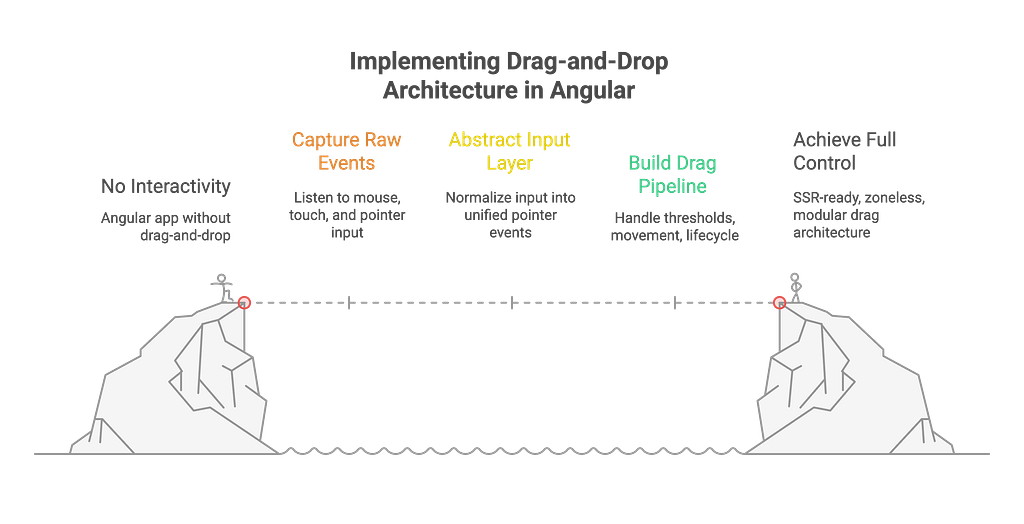
Without a well-designed drag-and-drop system, the entire editor turns into a static image. That’s why, during the development of Foblex Flow, we decided to build our own engine for handling events and drag sessions.
🛠 Sources
🎯 Why Build a Custom Engine
At first glance, it might seem sufficient to use Angular CDK DragDrop. But in practice, its limitations became clear:
- Designed for simple scenarios. CDK solves the “drag a card into a list” problem. But in a node-based editor, you need much more: resize, rotate, connections, multi-selection, canvas dragging.
- Lacks extensibility. Adding new behaviors (like dropping into a group) is difficult — there’s no built-in plugin architecture.
So we decided:
👉 We need a custom engine where we have full control over:
- event handling,
- the lifecycle of a drag session,
- plugin-based extensibility,
- and a zoneless architecture for performance.
⚡ Unified Event Interface
One of our core principles is that — whether it’s a mouse or touch input — the event should look the same higher up the stack.
To achieve this, we introduced the following interface:
Now, all logic in the editor operates with a unified event object.
Advantages of this approach:
- A consistent API across modules (move, resize, rotate);
- Simplified support for new input types and devices;
- Fewer bugs related to platform inconsistencies.
Unified Event Interface
🧩 Three-Layer Architecture
Drag-and-drop in Foblex Flow is structured in layers:
- DragAndDropBase — a low-level class. It subscribes to the document, listens for mousedown / touchstart / pointer events, checks the movement threshold, and initiates a drag session. It also handles screen reader protection and synthetic event filtering.
- FDraggableBase — an abstraction for Angular directives. It defines the contract: which events are available (fDragStarted, fDropToGroup, fCreateConnection, etc.) and which inputs are supported (fNodeMoveTrigger, fCellSizeWhileDragging).
- FDraggableDirective — the actual directive applied to <f-flow>. It connects the low-level drag engine to the Angular app, uses FMediator to dispatch all *Request actions and emit corresponding *Event outputs.
📌 This layered structure cleanly separates concerns:
- The base layer handles raw DOM interaction and events,
- The Angular layer exposes them as declarative inputs and outputs,
- The application receives well-structured events without worrying about platform-specific details.
🛠 Drag Session Lifecycle
Every interaction in Foblex Flow follows a consistent scenario:
- Initialization
The user presses the mouse button or touches the screen.
The directive checks the configured triggers to determine whether starting a move, resize, or connection is allowed at that moment.
- Start Threshold
A movement threshold (3 pixels by default) is intentionally applied to avoid triggering a drag from small cursor shakes.
Only when this threshold is exceeded does the drag session officially begin.
- Preparation
prepareDragSequence is invoked. This phase is triggered within mousemove/touchmove/pointermove, but only before the drag session actually starts.
Plugins like NodeMove, Resize, Rotate, CanvasMove, DropToGroup, and others evaluate whether they should participate. If so, they create their own motion handler.
- Movement
Once at least one motion handler is registered, there’s no need to evaluate the rest — only one action is allowed per session (move, resize, or rotate).
The mousemove/touchmove/pointermove logic switches to passing delta movement data to the active handler instead of preparing new ones.
- Completion
On mouseup/touchup/pointerup, finalization handlers are called. The result is committed — a node is moved, a connection is created, or an item is dropped into a group.
👉 Each drag session has clearly defined boundaries. This makes behavior predictable and debugging significantly easier.
🔌 Plugin System
Dragging isn’t just about “moving a node.” In real-world applications, the use cases are far more diverse:
- resizing elements,
- rotating,
- creating connections,
- reattaching connections,
- moving the canvas,
- dropping external items (e.g., from a palette).
Instead of hardcoding all of this into the core, we built a before/after plugin architecture:
Plugins can subscribe to lifecycle hooks like onPointerDown, prepareDragSequence, and onPointerUp.
This allows extending the functionality without touching the core logic.
📌 Example: you can add a hover highlight effect using a separate plugin — no need to modify the base code.
🧠 Architectural Decisions
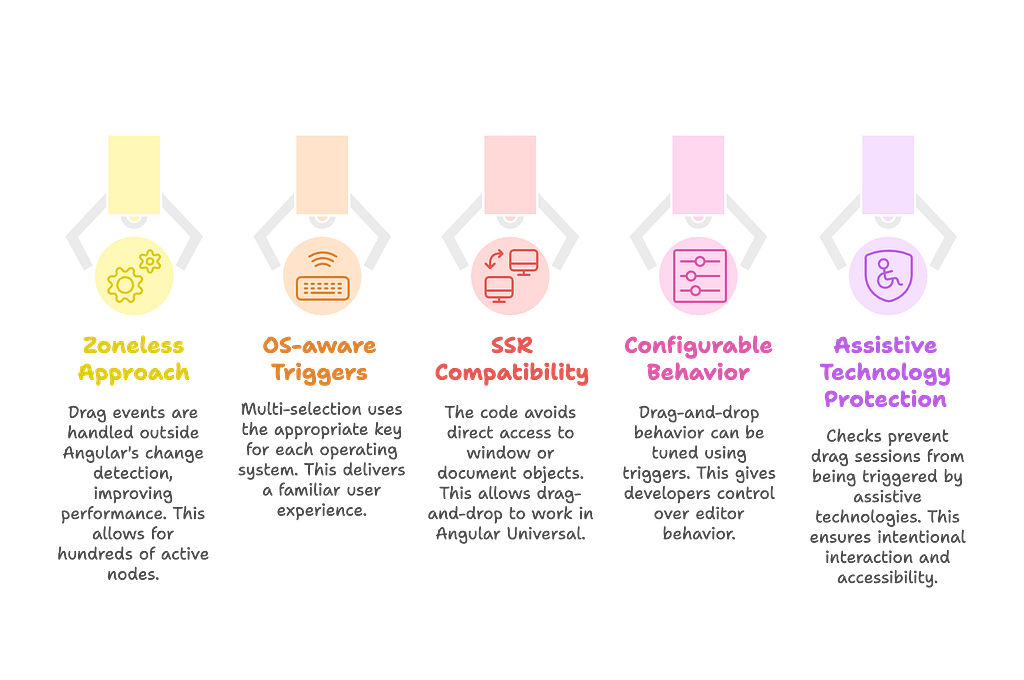
- Zoneless Approach
All drag events are handled inside ngZone.runOutsideAngular, which prevents unnecessary Angular change detection cycles.
This results in high performance, even with hundreds of active nodes.
2. OS-aware Triggers
On macOS, multi-selection uses metaKey; on Windows and Linux — ctrlKey.
This behavior is built into the fMultiSelectTrigger directive and delivers familiar UX across all platforms — right out of the box.
3. SSR Compatibility
We never access window or document directly.
All platform APIs are accessed through BrowserService, which can be replaced with a mock on the server.
This makes drag-and-drop work even in Angular Universal, without crashes or runtime errors.
4. Configurable Behavior
Any drag-and-drop behavior can be finely tuned using triggers. For example:
In this case, nodes will only move when the Shift key is held.
This gives developers full control over editor behavior.
5. Assistive Technology Protection
We’ve implemented checks to prevent drag sessions from being triggered by screen readers or other assistive technologies.
This is important for accessibility and ensures that interaction remains intentional.
Architectural Decisions
🔍 UX Nuances
We’ve paid close attention to subtle details that directly affect the user experience:
- Synthetic Event Suppression
After a touchstart, browsers often fire a fake mousedown.
To avoid double triggers, we introduced a MOUSE_EVENT_IGNORE_TIME = 800ms threshold during which such events are ignored.
- Text Selection Prevention
During a drag session, the selectstart event is suppressed.
This prevents the user from accidentally selecting text while trying to drag an element — leading to a cleaner, more intuitive experience.
💡 Strengths of the Drag-and-Drop Architecture
- Runs outside the Angular zone, ensuring high performance.
- Supports all input types thanks to a unified event interface.
- Highly configurable through triggers and plugin hooks.
- SSR-safe, with no direct reliance on browser globals.
- Accounts for UX nuances, such as filtering synthetic events and preventing accidental text selection.
- Open for extension — you can implement external drag sources, dynamic reconnections, grouping behavior, and more.
🚀 Conclusion
Drag-and-drop in Foblex Flow is not just about moving elements around — it’s a carefully designed architecture that offers stability, flexibility, and scalability:
- Normalized events eliminate inconsistencies between mouse, touch, and pointer input.
- A well-defined drag session lifecycle makes behavior predictable and easy to debug.
- The plugin system enables new features without altering the core logic.
- SSR support and zoneless execution ensure compatibility and performance across environments.
This architecture forms a solid foundation for building not just a visual editor, but a complete platform — from simple node movements to complex scenarios like external drag sources, dynamic reconnection of links, and context-aware behaviors.